Is the G403 Hero Still Good in 2026? Long-Term Review
Introduction
I've been using the Logitech G403 Hero for several months as my primary mouse for both work and gaming, and I wanted to write a long-term, practical review for anyone wondering if this model still makes sense in 2026. The G403 has been around for years in various revisions, and when I bought mine I wanted something comfortable and reliable without chasing the newest ultralight craze. In my experience after months of daily use, there are things I still love about it and a few compromises that modern mice have largely addressed.
What I tested and how
To give you an honest picture, I used the G403 Hero for roughly six months across a range of activities: extensive office work (text editing, spreadsheets, browser multitasking), creative work (photo editing and light video timelines), and competitive gaming sessions (FPS and some MOBAs). I tested tracking at different sensitivity settings, customized button mapping in Logitech's software, and monitored how the materials and switches held up over time. I used it on several mousepads, including cloth and a smoother hard-surface pad, to see how that affected glide and sensor behavior.
Design and build
Comfort and ergonomics
One thing I appreciated immediately was the G403's shape. It's a classic Logitech right-handed form with a gentle hump that suits a palm-to-claw hybrid grip. In my experience, the width and length fit my medium-sized hands well—long sessions didn't cause the soreness I sometimes get with narrower tournament shapes. The thumb rest is modest but functional, and I liked how natural it felt when moving from desktop work to quick flicks in-game.
That said, I noticed that if you prefer an ultra-low profile or pure fingertip grip, the G403 feels a bit bulky compared to today's minimalist shapes. I was surprised by how much of a difference modern ultra-light designs make if you're used to them, especially for rapid wrist movements. For me, the extra mass is a trade-off I accepted for comfort and button stability.
Materials and finish
The finish on my unit is a matte plastic with lightly textured side grips. After a few months I did notice a small sheen developing on the left-click area and sides from natural oils and friction—nothing dramatic, but visible if you inspect the mouse closely. The scroll wheel has a rubberized surface that maintained grip, and the mouse felt structurally solid with no creaks or looseness after prolonged use. The optional weight bay (if your unit includes it) is a nice touch for those who like to tune heft; I left the extra weight in for most of my testing and removed it occasionally for comparison.
Performance
Sensor and tracking
Under everyday conditions and in fast-paced games I found the HERO optical sensor to be consistently precise. In my experience, tracking was accurate across cloth and hard pads with no obvious smoothing or jitter at sensible sensitivity settings. Flick shots in FPS felt dependable, and I didn't notice any momentary snags or dropped tracking during aggressive swipes.
Lift-off distance was moderate on my unit—low enough that I could reliably pick up and reposition without shifting aim, but not so low that it felt unnatural on certain surfaces. If you depend on extremely fine control of LOD for a particular competitive advantage, you might want to test your sample in-store or compare with current low-LOD flagships, but for most players and workflows the G403's sensor performance held up very well.
Looking for the best Electronics deals on Amazon?
Browse Now →Buttons and switches
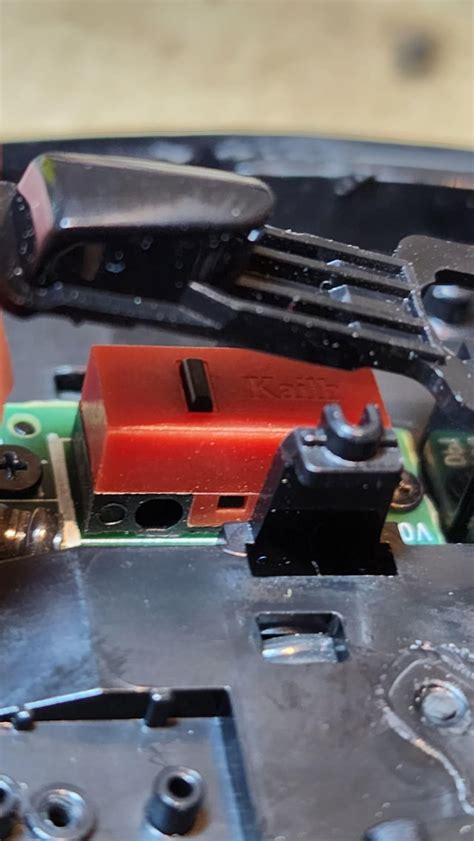
The primary clicks have a satisfying, tactile feel and stayed consistent over months of heavy use. I appreciated the tight pretravel and a crisp actuation that never felt mushy. Side buttons are conveniently placed and responsive; I assigned them to quick macros and found no accidental presses during normal use. The DPI toggle behind the scroll wheel is handy for rapid sensitivity changes, though I sometimes hit it unintentionally when palm-gripping hard—something to be aware of if you're sensitive to accidental DPI shifts.
Scroll wheel and cable
The scroll wheel is precise with defined steps and a modest amount of audible click. I use it heavily in both productivity and gaming; after months it retained its texture and didn't develop noticeable wobble. The cable on my wired Hero is supple enough that it didn't drag or interfere for the most part. If you want absolute zero cable friction, consider a mouse bungee or try the wireless version if battery life and latency trade-offs meet your needs.
Software and customization
I used Logitech's configuration software to adjust DPI stages, polling rate, and button assignments. In my experience, the software is feature-rich without being overwhelming: you can set multiple profiles, tune DPI steps, and adjust RGB lighting if your model includes it. One annoyance I encountered was that software updates occasionally reset a lighting setting until I saved the profile to the mouse's onboard memory—an easy step, but not intuitive the first time. Overall, the software does the job and gives you enough control for both productivity and gaming setups.
Long-term durability and reliability
After months of daily use, the G403 Hero showed normal, expected signs of wear but no functional degradation. Buttons remained snappy, the cable stayed intact, and the plastic didn't develop stress cracks or splits. The only visible sign of long-term wear was the aforementioned shine on the primary contact areas where my hands rest, and a slight softening of the side grip texture—nothing that impacted performance, but worth noting if appearance matters to you.
Reliability-wise, I didn't experience any sensor dropouts, double-click behavior, or software-caused instability. I've seen occasional reports online about individual units with switch failures, but in my sample that wasn't an issue. Still, because this model is now older hardware in 2026, check warranty terms and seller reputation if buying used or from non-official channels.
My personal likes and disappointments
What I liked most: the comfortable shape for long sessions, the dependable sensor, and the solid button feel. I was surprised by how much I appreciated the small weight tuning option; it let me dial in a feel that matched my playstyle.
Discover deals on Electronics — updated daily.
See Deals →What disappointed me: it's noticeably heavier than modern ultralights, which matters if you do very fast flicks or prefer minimal inertia. The side grips start to show wear faster than I expected, and the design hasn't aged to match the cutting-edge weight and hole-pattern ventilation trends that many manufacturers adopted in recent years.
Pros & Cons
- Pros: Comfortable, ergonomic shape for medium to large hands; reliable HERO sensor with accurate tracking; crisp, consistent primary clicks; solid long-term reliability; onboard memory for profiles; optional weight tuning.
- Cons: Heavier than contemporary ultralight mice—less ideal for pure speed-focused players; finish shows hand oils and grip wear over months; cable can be noticeable compared with modern wireless or ultra-supple paracord alternatives; not the newest feature set in 2026 (no advanced ventilated shell, for example).
Comparison: Where the G403 Hero sits in 2026
| Feature | G403 Hero (my experience) | Modern Lightweight Flagship (2026) | Budget Ergonomic Option |
|---|---|---|---|
| Comfort | Very comfortable for palm/claw users; supportive thumb rest | Comfortable but often narrower to save weight | Comfort-oriented but may lack sensor/performance finesse |
| Weight | Noticeably heavier than ultralights; weight tuning available | Extremely light (ultralight designs) | Moderate to heavy, prioritizes comfort |
| Sensor/Tracking | Accurate HERO sensor; reliable in games and work | Top-tier sensors, low LOD, very low latency | Good enough for office and casual gaming |
| Durability | Solid—normal wear on finish but no functional decline | Good, though ultralight shells can be more fragile | Varied—some cut costs in switches or cable |
| Customization | Plenty via software; onboard memory | Extensive, often with advanced profiles and low-level tuning | Basic button remapping, limited profiles |
| Value in 2026 | Strong for users prioritizing comfort and reliability over weight | Better for esports-focused users who want minimal weight | Best for budget-conscious buyers who need comfortable shape |
Buying guide: Is the G403 Hero right for you in 2026?
If you're considering a G403 Hero in 2026, here's how I recommend deciding based on how I used it and what I observed.
Who should buy the G403 Hero
- If you prioritize comfort over raw weight and want a proven, reliable mouse for long sessions, the G403 remains a solid pick.
- If you value stable, consistent clicks and a dependable tracking experience for both work and casual/competitive gaming.
- If you like a mouse with a bit of customizable heft—either you want a little mass for precise control or the ability to tune weight.
- If you prefer a shape that fits medium-to-large hands without adopting the narrow modern tournament molds.
Who should look elsewhere
- If you play at the very highest levels of competitive FPS and prefer the lightest possible mice for the smallest reaction improvements, modern ultralights may be a better fit.
- If you care deeply about a brand-new aesthetic (vented shells, extreme weight-savings) and the latest ergonomics trends, the G403's older design may not excite you.
- If you need a wireless solution and want the latest long-life battery tech and latency improvements, consider comparing wireless flagships—though the G403 does have wireless iterations if you prefer the form factor.
What to check before you buy
- Hand size and grip: if you can, test the shape in person or compare measurements to a mouse you own that fits well.
- Weight preference: decide if you want the optional weight installed; test both heavier and lighter configurations if possible.
- Software expectations: if you rely on advanced macros or onboard memory, verify the software supports the profiles you need and that you can save them to the mouse.
- Condition if buying used: inspect the finish for shine/wear, test all buttons for consistent clicks, and check cable integrity.
- Warranty and seller: because the G403 is an older model at this point, prefer reputable sellers or check manufacturer warranty terms.
Final thoughts and conclusion
After using the G403 Hero for several months, what I found was a very comfortable, reliable mouse that still holds up in 2026. It isn't the lightest or most feature-packed modern offering, but it excels at the fundamentals: comfortable ergonomics, stable sensor performance, and durable-feeling buttons. In my experience, that combination makes the G403 a sensible choice if you value comfort, longevity, and a no-nonsense experience over chasing the absolute lightest weight or the newest design trends.
I was surprised by how well the sensor and switches aged, and I appreciated the small conveniences like the onboard profile memory and weight tuning. One thing that bothered me slightly was the visible wear on the finish after months of heavy use and the fact that newer mice offer significantly lower weight for players who make that trade-off. Still, if you want a solid, proven performer that won’t force you to relearn your grip or compromise on long-session comfort, the G403 Hero is still a defensible, practical pick in 2026.